Introduction
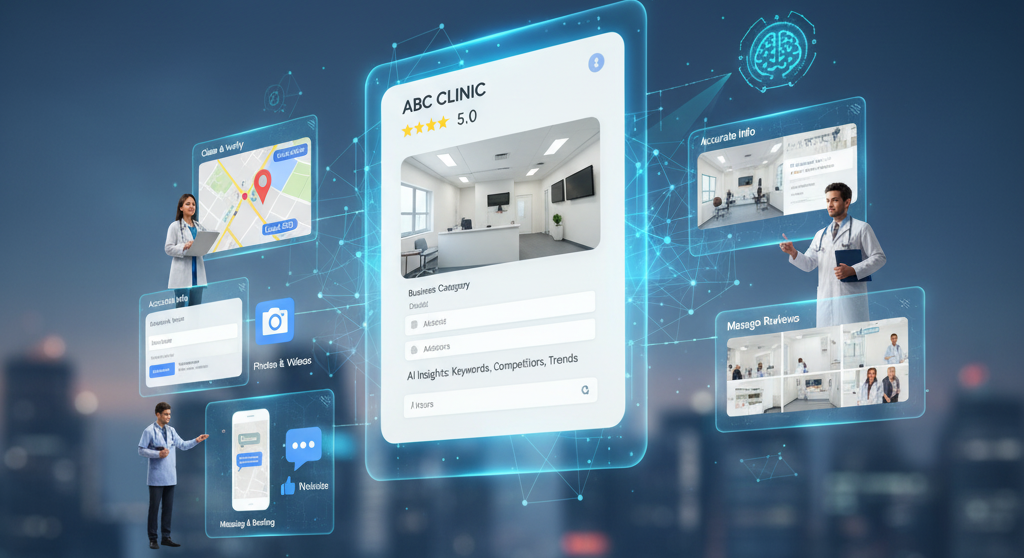
In today’s digital-first world, your clinic’s Google Business Profile (GBP) is your new front desk.
When potential patients search for “clinic near me” or “best doctor in [your city],” your GBP decides whether they find you, trust you, and book an appointment — or go to a competitor.
Setting it up isn’t just about filling in your name and phone number. To rank higher in local search, you need to strategically optimize your profile with accurate data, relevant keywords, high-quality visuals, and AI-assisted insights.
This guide will walk you through everything you need to know about setting up and optimizing your clinic’s Google Business Profile — from claiming it to using AI tools for better visibility and patient engagement.
When potential patients search for “clinic near me” or “best doctor in [your city],” your GBP decides whether they find you, trust you, and book an appointment — or go to a competitor.
Setting it up isn’t just about filling in your name and phone number. To rank higher in local search, you need to strategically optimize your profile with accurate data, relevant keywords, high-quality visuals, and AI-assisted insights.
This guide will walk you through everything you need to know about setting up and optimizing your clinic’s Google Business Profile — from claiming it to using AI tools for better visibility and patient engagement.
Why Your Clinic Needs a Google Business Profile
Before we dive into the steps, let’s understand why a GBP matters:
- Boost Local SEO: Appear in Google Maps, Local Pack, and “near me” searches.
- Build Trust: Patients see your clinic name, reviews, and ratings instantly.
- Increase Appointments: A well-optimized profile can directly lead to more phone calls and bookings.
- Provide Key Information: Hours, services, directions, and updates in one place.
Step-by-Step Guide to Setting Up Your Clinic’s Google Business Profile
- Step 1: Claim or Create Your Profile
Go to Google Business Profile Manager.
Click “Manage Now.”
Search for your clinic name.
If it appears, claim it.
If not, create a new listing.
Enter your clinic name exactly as it appears on your signage — this ensures NAP consistency (Name, Address, Phone).
Pro Tip: Avoid keyword stuffing in your business name (e.g., “Best Dental Clinic in Mumbai”) — it can get your profile suspended. - Step 2: Add Accurate Business Information
Google rewards accuracy and consistency. Fill in:- Business Category: Select the most specific one (e.g., “Pediatrician,” “Dental Clinic,” “Physiotherapist”).
- Address: Pin the exact location on the map.
- Phone Number & Website: Use a local number for better trust.
- Working Hours: Add regular and special hours (holidays).
- Step 3: Write a Keyword-Optimized Business Description
This is where you describe your clinic in 750 characters.
Example:
“At ABC Dental Clinic, we provide general dentistry, root canal treatments, and cosmetic dentistry in [City]. Our experienced dentists focus on pain-free treatments and personalized care.”
Include top local keywords naturally like:- dentist near me
- dental clinic in [city]
- affordable root canal treatment
- Step 4: Add High-Quality Photos & Videos
Profiles with photos get 42% more requests for directions and 35% more click-throughs.
Upload:- Clinic Exterior: So patients can easily recognize your place.
- Reception Area & Waiting Room: Builds trust and comfort.
- Team Photos: Adds a human touch.
- Treatment Rooms or Equipment: Show hygiene and technology.
- Short Intro Video: “Meet our doctors” or “Clinic walkthrough.”
- Step 5: Select Services and Treatments
Google allows you to add services for your category.
Example for a dental clinic:- Teeth Cleaning
- Root Canal
- Braces Consultation
- Teeth Whitening
- Step 6: Collect & Manage Patient Reviews
Reviews are a major local SEO ranking factor.
Encourage happy patients to leave a review by sharing a short link or QR code.
Reply to every review — even negative ones — politely and professionally.
Use AI-assisted templates for faster, consistent responses.
Pro Tip: Responding with keywords (“Thank you for trusting our clinic for your root canal treatment”) helps with relevance and visibility. - Step 7: Enable Messaging and Bookings
Turn on the Messaging feature so patients can chat directly from Google Search.
If possible, integrate an online booking system (like Docclix appointment links) so patients can book in one click. - Step 8: Post Regular Updates
Use the Posts feature to share:- New services or packages
- Health tips
- Clinic events
- Special offers
- Step 9: Use AI Insights to Optimize
Here’s where the AI-optimized approach comes in:- Analyze Search Queries: See what terms people use to find your profile (e.g., “orthopedic clinic open now”) and include them in descriptions and posts.
- Track Engagement: AI tools can show which photos or posts get the most clicks.
- Competitor Benchmarking: AI can analyze competitor profiles and suggest what services or keywords you should add.
- Predict Peak Hours: Optimize your hours based on when patients search the most.
- Step 10: Maintain NAP Consistency Across Platforms
Make sure your Name, Address, and Phone number (NAP) are consistent on:- Website
- Facebook page
- Health directories
- Appointment booking platforms
Advanced Optimization Tips
- UTM Tracking: Add UTM parameters to your website link to track conversions from GBP in Google Analytics.
- Local Schema Markup: Add structured data on your website to reinforce business info.
- Q&A Section: Pre-fill common patient questions (“Do you offer Sunday appointments?”).
- Voice Search Optimization: Many patients use voice commands — include natural phrases like “Where can I find a physiotherapist near me?” in your content.
Common Mistakes to Avoid
- Using different names or phone numbers across platforms
- Not verifying your business — unverified profiles don’t show fully
- Ignoring reviews (hurts reputation)
- Leaving categories blank or generic
- Uploading low-quality or stock photos
The AI Advantage: Why It Matters
AI is no longer optional — it’s essential for staying competitive.
With AI-powered insights, your clinic can:
With AI-powered insights, your clinic can:
- Understand patient behavior trends
- Predict which services will be in demand
- Improve local SEO ranking
- Save time with automated posting & review responses
🚀 Optimize Your Clinic’s Profile with AI Today
Don’t just list your clinic — make it discoverable. With Docclix, you can create a fully optimized, AI-powered Google Business Profile that attracts patients 24/7.
Available 24/7
Serving Across India
Conclusion
Your Google Business Profile is one of the most powerful free tools for attracting new patients — but only if you use it strategically.
By following this step-by-step guide and leveraging AI-powered insights, your clinic can stand out in local search, build trust, and convert searchers into loyal patients.
At Docclix, we help clinics set up, optimize, and maintain their Google Business Profiles with AI-driven tools, so you stay ahead of the competition.
By following this step-by-step guide and leveraging AI-powered insights, your clinic can stand out in local search, build trust, and convert searchers into loyal patients.
At Docclix, we help clinics set up, optimize, and maintain their Google Business Profiles with AI-driven tools, so you stay ahead of the competition.
FAQs
- FAQ 1: Why does my clinic need a Google Business Profile?
A GBP makes your clinic visible in Google Maps, Local Pack, and “near me” searches, helping patients easily find, trust, and book appointments with you. - FAQ 2: How can AI improve my clinic’s Google Business Profile?
AI tools analyze patient search queries, competitor profiles, and engagement trends to suggest better keywords, photos, and updates for higher visibility. - FAQ 3: What information should I add to my GBP?
Include accurate clinic details like name, address, phone, working hours, services, and high-quality photos. Consistency across platforms boosts local SEO. - FAQ 4: How important are reviews for my clinic’s ranking?
Reviews are critical — they build trust and directly influence local search rankings. Responding to reviews with AI-assisted templates improves visibility. - FAQ 5: Can patients book appointments directly through Google?
Yes. By enabling messaging and integrating booking links (like Docclix), patients can schedule appointments instantly from your Google profile.
For Doctors & Clinics
Get your AI Visibility Page for ₹1,999
One-time setup. Google, ChatGPT & Gemini ready. No monthly commitment to start.
Get Onboarded — ₹1,999 arrow_forward